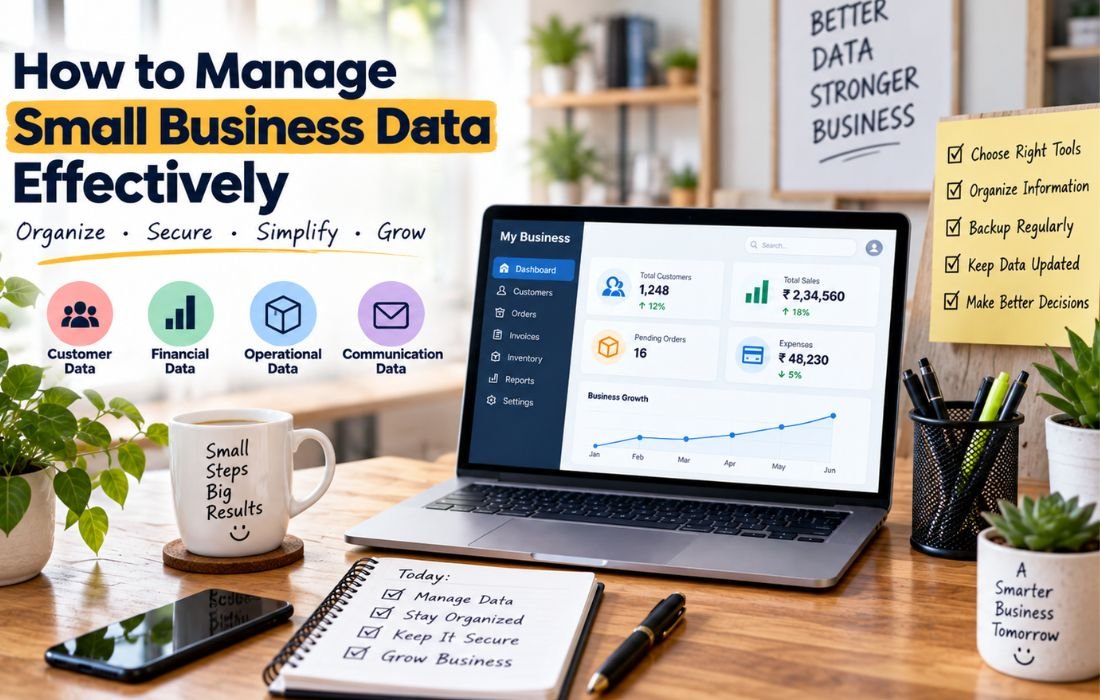
Let’s be honest for a second. If you run a small business, “data management” probably sounds like something a giant corporation with an IT department worries about, not something you need to think about between answering customer emails and restocking inventory. But here’s the thing: you’re already managing data, whether you call it that or not. Every customer email, every invoice, every spreadsheet of orders, that’s all data. The question isn’t whether you have it. It’s whether it’s organized, safe, and useful to you.
Why Does This Even Matter for a Small Business?
Picture this. A customer calls asking about an order from two months ago. Someone digs through three spreadsheets, an inbox, and a sticky note before finding the answer. That’s the kind of thing that quietly costs small businesses time, money, and trust every single day.
Good data management means you can find what you need in seconds, you’re not duplicating work across five tools, and you’re not one spilled coffee away from losing your customer list. It’s less about being fancy and more about not making your own life harder than it needs to be.
What Does Small Business Data Management Actually Include?
Think of it in a few buckets. Customer information, names, contact details, purchase history, and preferences. Financial data, invoices, expenses, payroll, and tax records. Operational data, inventory counts, supplier details, and scheduling. Communication records, emails, support tickets, and internal notes.
If any of these live in your head, in a single person’s inbox, or on a laptop that isn’t backed up, that’s a risk waiting to happen.
A Quick, Relatable Example
Say you run a small bakery. Right now your orders might be scattered across a notebook by the register, a shared Google Sheet your assistant updates sometimes, and a string of Instagram DMs for custom cakes. That’s technically “data,” but it’s chaos wearing a trench coat.
A cleaner setup looks like this: orders and contact info live in one simple tool, inventory sits in a shared, backed up spreadsheet, and financials sit in accounting software rather than a folder of loose receipts. Nothing fancy, just one home for each type of information instead of five.
So, What Tools Actually Help With This?
You don’t need enterprise software built for a company with 10,000 employees. You need tools that match your size and actually get used.
HubSpot CRM and Zoho CRM keep customer details, conversations, and follow ups in one searchable place instead of buried in your inbox. HubSpot’s free plan is a solid start.
Notion and Google Workspace let a small team keep shared notes, files, and simple databases without needing anyone technical to set it up.
Airtable and Stackby sit between a spreadsheet and a real database, letting you build simple systems for orders or inventory without writing code.
QuickBooks, Wave, and Xero keep your books, invoices, and expenses in one place built for accounting, rather than a folder of PDFs.
Google Drive and Dropbox mean your files aren’t sitting only on one laptop that could get lost or damaged tomorrow.
Zapier quietly connects these tools together, so a form submission automatically lands in your CRM and spreadsheet instead of you copying it by hand.
A few more worth trying if that list still feels like a lot: Trello for a simple, visual way to track orders or tasks on a board; Square, which also tracks sales history and inventory if you run a storefront; Google Sheets templates as a fine starting point if a full CRM feels like too much; Calendly for scheduling chaos, syncing bookings straight to your calendar; and 1Password or Bitwarden for a shared, secure way for your team to access accounts without passwords living on sticky notes.
None of these require technical skill to set up, and most let you start free and upgrade only once you outgrow them.
Okay, But What If You Don’t Even Know Where to Start?
This is real. A lot of small business owners aren’t ignoring data management out of laziness, they genuinely never learned this stuff. You started your business because you’re good at baking or fixing cars or designing things, not because you wanted to become a part time IT person. That’s normal, and it’s fixable.
Start by not trying to learn everything at once. Pick the one area causing you the most stress right now and just learn that piece.
Use the free stuff already built for beginners. Tools like QuickBooks, HubSpot, and Google Workspace have their own tutorials and short videos made for first timers. Search “how to add a customer in HubSpot” and follow along.
YouTube is genuinely one of the best teachers here. Search the tool name plus “for beginners,” and someone will walk you through it step by step on screen.
Look into free small business resources near you. Organizations like SCORE offer free mentorship from experienced business owners, and your local Small Business Administration office or chamber of commerce often runs free workshops too.
Take a short, free online course if you like structure. Google’s Digital Garage covers basic digital skills in small, non intimidating chunks.
Ask before you assume you’re behind. A quick post in a small business Facebook group or subreddit usually gets you real answers from people who’ve solved the exact same problem.
And if it still feels like too much, it’s okay to bring someone in. A part time bookkeeper, a virtual assistant, or a tech savvy family member setting things up once for you is a completely valid starting point. Nobody is born knowing this.
How Do You Actually Get Started Without Overhauling Everything at Once?
You don’t need to fix your entire setup this weekend, and trying to usually backfires. First, figure out where your data currently lives, just list it out. Second, pick one messy area to fix first, usually the one causing the most daily friction, often customer information or invoicing. Third, choose one tool for that area and actually commit to it, rather than running the old method alongside it out of habit. Fourth, set up a simple backup routine; cloud storage that syncs automatically counts. Fifth, decide who’s responsible for keeping each type of data updated, since this quietly falls apart when everyone assumes someone else is handling it.
A Few Things People Get Wrong
One mistake is assuming spreadsheets are fine forever. They’re great at first, but once multiple people are editing the same one, things start breaking quietly in the background. Another is treating data security as something only big companies need to worry about, when small businesses are actually common targets precisely because their systems tend to be less protected. A third is buying an expensive, feature heavy tool before knowing what problem you’re solving. And a big one: not backing anything up, since plenty of businesses only realize they needed a backup after they’ve already lost something important.
Bringing It All Together
Managing your small business data well doesn’t require a data science degree or a five figure budget. It comes down to picking a home for each type of information, choosing simple tools that match your actual size, learning one small piece at a time instead of trying to master everything overnight, and building small habits, like backing up files or updating one shared customer list, instead of letting information scatter across inboxes, notebooks, and whichever app someone happened to open that day.
Start small. Fix the one thing causing you the most headaches right now. The rest can follow once that piece is actually working.